Molecular Structure Converter
High-throughput transformation across 100+ chemical formats, coordinate generation, force field minimization, and 2D depiction.

Was this tool helpful?
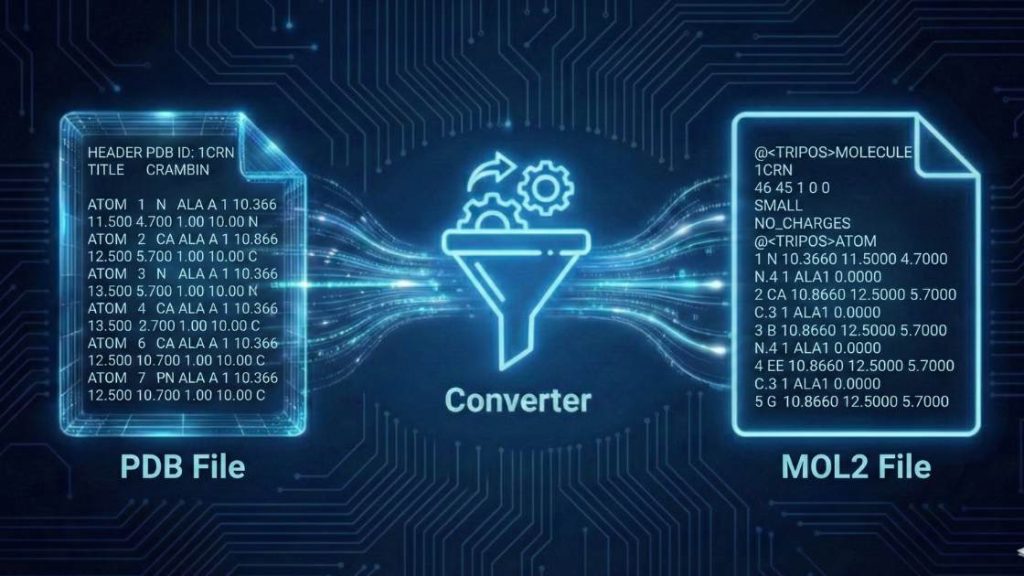
Our PDB to MOL2 Converter is a robust web-based tool designed to prepare molecular structures for a wide range of computational chemistry applications. It seamlessly converts standard Protein Data Bank (PDB) files into the Tripos MOL2 format, a process that involves assigning essential Sybyl atom types and calculating partial charges.
How to use
Follow these simple steps to convert your file in seconds.
- Choose Your Formats: Use the “Input Format” and “Output Format” dropdown menus to select your desired conversion. Ensure Protein Data Bank (PDB) is selected as the input, and Tripos MOL2 is selected as the output.
- Upload Your File: Click the “Upload File” button to select a file from your device. Alternatively, you can drag and drop your file directly into the designated area or paste the raw text content using the “Paste Content” option.
- Start the Conversion: Press the “Convert File” button to begin processing. Our engine will handle the conversion instantly.
- Download Your File: Once the conversion is complete, a download link for your new MOL2 file will appear. Click it to save the file to your device.
Tip: If you encounter an error during conversion, please consult the Troubleshooting Guide below for common causes and solutions.
Input, Output, and Key Changes
Understanding the transformation from PDB to MOL2 is crucial for accurate computational modeling. Here’s a breakdown of the formats and the key structural and chemical information added during the conversion.
Sample input (Protein Data Bank format)
The Protein Data Bank (PDB) format is the universal standard for storing 3D coordinate data for biological macromolecules such as proteins and nucleic acids. While it provides detailed atomic positions, it typically lacks force-field-specific information, such as atom types and partial charges, required by many simulation programs.
Example of a PDB file:
ATOM      1  N   ALA A   1      27.222  18.238  35.532  1.00 28.80           N
ATOM      2  CA  ALA A   1      27.576  19.231  34.542  1.00 28.98           C
ATOM      3  C   ALA A   1      26.540  19.420  33.453  1.00 28.18           C
ATOM      4  O   ALA A   1      26.812  19.897  32.392  1.00 30.12           O
ATOM      5  CB  ALA A   1      27.943  20.530  35.253  1.00 29.83           C
ATOM      6  H   ALA A   1      26.332  18.117  35.958  1.00  0.00           H
ATOM      7  HA  ALA A   1      28.477  18.841  34.090  1.00  0.00           H
Sample Output (Tripos MOL2 format)
The Tripos MOL2 format is widely used in computational chemistry, particularly for program inputs such as SYBYL. It includes not only atomic coordinates but also bond information, formal charges, and, critically, atom-type classifications, which are essential for applying molecular mechanics force fields.
Example of the same ATOM 1 after conversion:
1 N 27.2220 18.2380 35.5320 N.am 1 ALA1 0.2882
Key Changes in the Conversion Process
The conversion from PDB to MOL2 involves several critical modifications to enrich the molecular data:
- Addition of Hydrogens: The tool adds hydrogen atoms to the structure according to standard valence rules and pH assumptions. This is vital for accurate hydrogen bond network analysis and electrostatic calculations.
- Assignment of Sybyl Atom Types: Each atom is assigned a specific Sybyl atom type (e.g.,
N.amfor an amide nitrogen). These types are used by simulation software to look up corresponding force field parameters (e.g., van der Waals radii, bond stiffness). - Calculation of Partial Charges: A partial charge (e.g.,
0.2882) is calculated and assigned to each atom, typically using the Gasteiger-Marsili algorithm. These charges are fundamental for modeling electrostatic interactions, which are a dominant force in molecular recognition. - Structure Cleaning: The conversion process typically removes non-essential information from the PDB file, such as solvent molecules (e.g., HOH), alternate atom locations (altLoc), and other metadata, to produce a clean, single-conformation model ready for simulation.
Compatible Software
The generated MOL2 files are ready to be used with a wide range of molecular modeling, dynamics, and visualization software, including:
- SYBYL-X
- UCSF Chimera and ChimeraX
- MOE (Molecular Operating Environment)
- Schrödinger Suite (Maestro)
- OpenEye Scientific Software (e.g., OMEGA, ROCS)
- GROMACS (with appropriate pre-processing)
Troubleshooting Guide
Encountering an error can be frustrating, but most issues are straightforward to fix. Here are the most common problems you might face and how to resolve them.
General Tool Errors
Error: “File size exceeds the limit”
- Why it happens: Your uploaded file is larger than the maximum size allowed by our server. This limit ensures fair and rapid processing for all users.
- How to fix: For large protein complexes, try removing non-essential chains or solvent molecules before uploading. If you regularly work with large files, please contact us for custom solutions.
Error: “Processing timed out”
- Why it happens: The conversion is taking too long to complete, which can occur with exceptionally large or structurally complex molecules.
- How to fix: Simplify your input file where possible. If the issue persists due to the inherent complexity of your molecule, feel free to contact us to discuss options for handling intensive computations.
Error: “CAPTCHA validation failed”
- Why it happens: Our system uses a CAPTCHA to prevent automated access. This error appears if the CAPTCHA was not solved correctly or has expired.
- How to fix: Reload the page to generate a new CAPTCHA and try again. If the problem continues, please let our support team know.
Conversion-Specific Errors
These errors typically relate to the scientific data within your PDB file.
Error: “Unrecognized residue or atom name”
- Why it happens: The input PDB file contains non-standard residue names (e.g., custom ligands) or unconventional atom names that are not in the tool’s chemical library.
- How to fix: Ensure all residue and atom names conform to PDB format standards. You may need to manually edit the PDB file to correct these names to their standard equivalents before uploading.
Error: “Could not perceive bond orders” or “Failed to assign atom types”
- Why it happens: This often indicates issues with the molecule’s geometry, such as unrealistic bond lengths, missing atoms, or disconnected fragments. The algorithm cannot reliably determine connectivity or hybridization states.
- How to fix: Before converting, inspect your structure in a molecular viewer (like PyMOL or ChimeraX). Repair any missing atoms, fix abnormal bond lengths, and ensure all parts of your molecule are correctly connected.
Error: “Charge assignment failed”
- Why it happens: This error can occur if the tool successfully assigns atom types but fails to calculate partial charges. This might be due to an unusual chemical environment or an atom type for which charge parameters are not available.
- How to fix: Verify the chemical validity of your structure. Ensure all atoms have correct valences. If the molecule contains exotic elements or non-standard functional groups, you may need to use specialized software to parameterize it.
If your problem is not listed here, we want to know about it! Please help us improve the tool by reporting the issue.
Support Our Work
We are committed to keeping our scientific tools free and accessible for everyone. If this tool has been helpful in your work, please consider supporting our mission with a donation. Your support directly helps us cover server costs and fund the development of new, powerful tools for the scientific community.
FAQ
References
- Berman, H. M., Westbrook, J., Feng, Z., Gilliland, G., Bhat, T. N., Weissig, H., Shindyalov, I. N., & Bourne, P. E. (2000). The Protein Data Bank. Nucleic Acids Research, 28(1), 235–242. https://doi.org/10.1093/nar/28.1.235
- Clark, M., Cramer, R. D., & Van Opdenbosch, N. (1989). Validation of the general purpose Tripos 5.2 force field. Journal of Computational Chemistry, 10(8), 982–1012. https://doi.org/10.1002/jcc.540100804
- O’Boyle, N. M., Banck, M., James, C. A., Morley, C., Vandermeersch, T., & Hutchison, G. R. (2011). Open Babel: An open chemical toolbox. Journal of Cheminformatics, 3(1), 33. https://doi.org/10.1186/1758-2946-3-33
- Gasteiger, J., & Marsili, M. (1980). Iterative partial equalization of orbital electronegativity—a rapid access to atomic charges. Tetrahedron, 36(22), 3219–3228. https://doi.org/10.1016/0040-4020(80)80178-2
- Pettersen, E. F., Goddard, T. D., Huang, C. C., Couch, G. S., Greenblatt, D. M., Meng, E. C., & Ferrin, T. E. (2004). UCSF Chimera—a visualization system for exploratory research and analysis. Journal of Computational Chemistry, 25(13), 1605–1612. https://doi.org/10.1002/jcc.20084
Meet the Authors

Mahdi Morshedi Yekta
Founder & Bioinformatics Developer
Mahdi is the founder of ScienceCodons and a Medical Biotechnologist with a deep passion for computational biology. Holding an M.Sc. in Medical Biotechnology, he specializes in transforming complex biological algorithms into accessible, high-performance web tools, bridging the gap between laboratory sciences and software engineering.

Fatemeh Faryadras
Medical Biotechnologist & Researcher
Fatemeh is a Medical Biotechnologist and researcher. With extensive expertise in genetic engineering, molecular cloning, and cancer biology, she combines her rigorous laboratory background with intuitive design principles to create reliable, user-centered scientific calculators and tools.

Dr. Mosayeb Rostamian
Assistant Professor, Infectious Diseases Research Center
Certified Scientific Reviewer
Google ScholarExpert Review Process
To ensure the highest quality and scientific accuracy, this tool's underlying algorithms, formulas, and edge-case handling have been thoroughly reviewed and validated by Dr. Mosayeb Rostamian.
The "Reviewed By" badge signifies that an independent expert has evaluated the tool's logic to guarantee accuracy and alignment with the current consensus in the scientific community.