
TXT to FASTA Converter
Input
Output
Awaiting input sequences…
Was this tool helpful?

Easily convert raw sequence text or plain TXT files into FASTA files. The FASTA format is the standard for representing nucleotide or peptide sequences, where each record begins with a single-line description (starting with a > symbol) followed by lines of sequence data. Whether you work with DNA, RNA, or protein sequences, our TXT to FASTA Converter automates adding headers, removing illegal characters, and structuring your data into a format compatible with bioinformatics tools such as BLAST, Clustal Omega, or MEGA.
Core Features & Customization Guide
To ensure your data meets bioinformatic pipeline requirements, our tool offers a suite of formatting features. Here is how each option works:
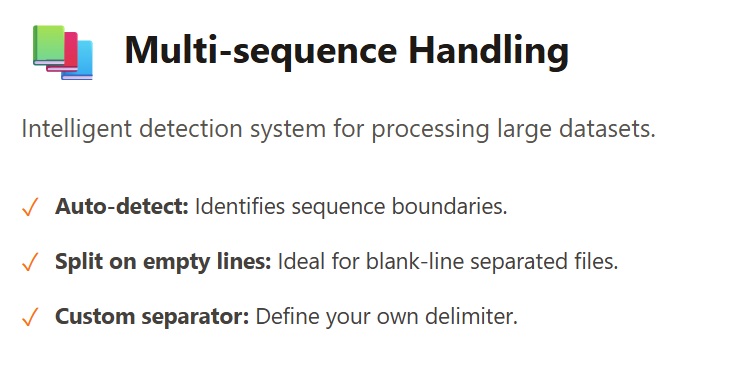
1. Advanced Multi-sequence Handling
Processing large datasets is seamless with our detection system:
- Auto-detect sequences: Automatically identifies where one sequence ends and the next begins.
- Split on empty lines: Perfect for text files where a blank line separates sequences.
- Custom separator: Define your own delimiter if your TXT file uses specific symbols to separate records.
2. Intelligent Header Formatting
The “Header” (the line starting with >) is crucial for identification. You can:
- Preserve existing header: Keep your original descriptions as they are.
- Auto-Generate (seq_1, sequence_1): Automatically number your sequences if headers are missing.
- Custom prefix: Add a specific project name or ID to all headers in bulk.
- Extract from text: Intelligently pull IDs from the first line of your raw input.
3. Precision Line Wrapping
Different tools have different line length requirements. You can choose:
- 80 or 60 characters per line: Standard formats for most legacy and modern bioinformatics software.
- No wrapping (single line): Keep the entire sequence on one continuous line, which is often required for certain database uploads.
4. Dynamic Case Formatting
Uniformity is key in sequence analysis.
- UPPERCASE: Convert everything to capitals (standard for DNA/RNA).
- lowercase: Useful for highlighting specific regions or masking.
- Preserve original: Keep the case mix exactly as pasted.
5. Granular Character Cleanup
Biological sequences must be “clean” to be valid. Our tool allows you to toggle the removal of:
- Spaces & Tabs: Removes hidden white spaces that cause software errors.
- Numbers: Strips out position markers (common in NCBI or GenBank formats).
- Punctuation: Removes dots, dashes, or commas.
- Invalid characters: Automatically detects and removes any non-biological characters that don’t belong in a DNA/Protein sequence.
6. Indexing with Line Numbers
Need to track the position of your residues? Enable adding line numbers to include an index, making it easier to reference specific locations in long sequences during manual review.
How to Use

- Input Your Data:
- Paste your raw text directly into the TXT Input area.
- Alternatively, use the Text file button to upload a .txt or .raw file from your device.
- Configure Formatting Options: Use the sidebar to adjust the settings mentioned above. You will see the changes reflected instantly in the Output window.
- Review Real-time Statistics: As you adjust the settings, check the footer for live data:
- Sequences: Total number of identified records.
- Total Residues: Total count of nucleotides or amino acids.
- Avg Length: The average length of the processed sequences.
- Export Your Results:
- Copy: Use the clipboard icon to copy the formatted FASTA.
- Download: Click the Download button to save the result as a .fasta file.
Reference
Pearson, W. R. (1994). Using the FASTA program to search protein and DNA sequence databases. In Computer analysis of sequence data: part I (pp. 307-331). Totowa, NJ: Humana Press.
Meet the Authors

Mahdi Morshedi Yekta
Founder & Bioinformatics Developer
Mahdi is the founder of ScienceCodons and a Medical Biotechnologist with a deep passion for computational biology. Holding an M.Sc. in Medical Biotechnology, he specializes in transforming complex biological algorithms into accessible, high-performance web tools, bridging the gap between laboratory sciences and software engineering.

Fatemeh Faryadras
Medical Biotechnologist & Researcher
Fatemeh is a Medical Biotechnologist and researcher. With extensive expertise in genetic engineering, molecular cloning, and cancer biology, she combines her rigorous laboratory background with intuitive design principles to create reliable, user-centered scientific calculators and tools.

Dr. Mosayeb Rostamian
Assistant Professor, Infectious Diseases Research Center
Certified Scientific Reviewer
Google ScholarExpert Review Process
To ensure the highest quality and scientific accuracy, this tool's underlying algorithms, formulas, and edge-case handling have been thoroughly reviewed and validated by Dr. Mosayeb Rostamian.
The "Reviewed By" badge signifies that an independent expert has evaluated the tool's logic to guarantee accuracy and alignment with the current consensus in the scientific community.