
ABI to Qual Converter
Bioinformatics Converter
Convert between various bioinformatics formats instantly
Paste Data
Upload File
Conversion output will appear here...
Was this tool helpful?
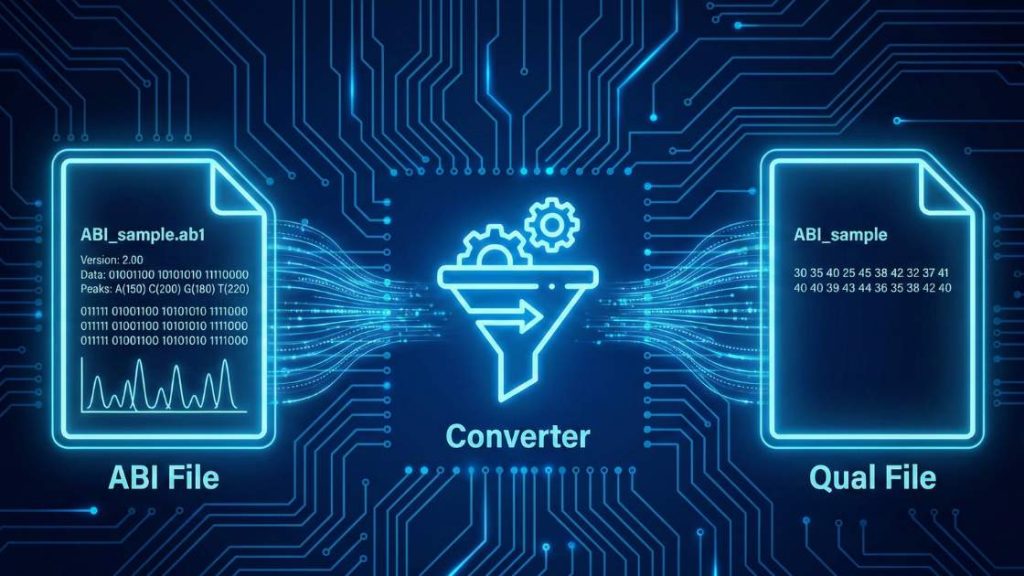
Our ABI to QUAL Converter is a specialized web-based tool to extract crucial quality information from your Sanger sequencing data. It efficiently converts binary ABI trace files into the text-based QUAL format, which contains the Phred quality scores for each base call. This process is essential for downstream applications like sequence assembly, variant analysis, and quality control, ensuring that your research is based on reliable data.
How to use (step-by-step)
Follow these simple steps to convert your file in seconds.
- Upload Your File: Click “Upload File” or drag and drop your ABI file directly into the designated area. You can also paste the file’s content using the “Paste Data” option.
- Choose Your Formats: Use the “Input Format” and “Output Format” dropdown menus to select the conversion you need. Ensure that
abi(Applied Biosystems / Sanger sequencing format) is selected as the input andqual(Quality scores for a sequence) as the output. - Start the Conversion: Press the “Convert File” button to begin the process. The tool will parse your file and extract the quality data instantly.
- Download Your File: Once the conversion is complete, a download link for your new QUAL file will appear. Click it to save the file to your device.
Tip: If you encounter an error during conversion, check the Troubleshooting Guide below—common causes and fixes are listed.
Input, Output, and Key Changes
Understanding the transformation from the binary ABI format to the text-based QUAL format is key to effective sequence analysis. Here’s a breakdown of the formats and the changes that occur.
Sample Input (ABI Format)
The abi format is a binary file generated by ABI Sanger sequencing instruments. It contains the raw chromatogram data, the processed DNA sequence, and associated per-base quality scores. Because it is a binary format, it cannot be read or edited in a standard text editor and requires specialized software to parse. An ABI file is a binary file and cannot be displayed as plain text. It contains multiple data blocks, including the electropherogram trace, base calls, and quality values.
Sample Output (QUAL Format)
The qual format is a simple text-based format that stores numerical quality scores, typically Phred scores, corresponding to a DNA sequence in a separate FASTA file. Each score represents the confidence in the accuracy of a specific base call.
Example of a QUAL file:
>sequence_identifier
25 31 34 38 40 40 40 38 35 30 26 23 20 18 15 12 10 10 12 15
18 22 26 30 34 38 40 40 39 36 32 28 24 20 17 14 11 9 9 11 14
17 21 25 29 33 37 40 40 39 37 34 31 28 25 22 19 16 13 11 11
Key Changes in the Conversion Process
The conversion from ABI to QUAL focuses on one critical extraction:
- Extraction of Phred Quality Scores: The primary function of this tool is to read the binary ABI file, locate the quality score information embedded within it, and write these scores into a human-readable text format. Phred scores are logarithmically related to the probability of an incorrect base call. A score of 20, for example, indicates a 1 in 100 chance of an error (99% accuracy), while a score of 40 indicates a 1 in 10,000 chance (99.99% accuracy). This data is vital for trimming low-quality regions of a sequence and for weighted calculations in sequence assembly.
Compatible Software
The generated QUAL files are designed to be used alongside FASTA files in various bioinformatics software packages for quality control, trimming, and assembly:
- Phred/Phrap/Consed
- Biotools
- Staden Package
- Modern genomics tools that accept separate quality score files
Troubleshooting Guide
Encountering an error can be frustrating, but most issues are easy to fix. Here are the most common problems you might face and how to resolve them.
General Tool Errors
Error: “File size exceeds the limit”
- Why it happens: Your uploaded file is larger than the maximum allowed size. Our server has this limit to ensure quick processing for all users.
- How to fix: ABI files are typically small. If your file is exceptionally large, it may be corrupt or not a standard ABI file. Please verify the file integrity. For processing large batches of files, please contact us for custom solutions.
Error: “Processing timed out”
- Why it happens: The conversion of your file is taking too long. This is unusual for ABI files, but it could happen with a corrupted file that causes an infinite loop during parsing.
- How to fix: Ensure your file is a valid, uncorrupted ABI file from a Sanger sequencer. If the issue persists with a valid file, please contact us to discuss the issue.
Error: “CAPTCHA validation failed”
- Why it happens: Our system uses a CAPTCHA to prevent automated bots. This error occurs if the CAPTCHA was not solved correctly or timed out.
- How to fix: Simply reload the page and solve the new CAPTCHA. If you continue to have trouble after reloading, please get in touch with our support team.
Conversion-Specific Errors
These errors typically relate to the data within your ABI file.
Error: “Invalid ABI file format” or “Cannot parse file”
- Why it happens: The uploaded file is not a valid ABI file. It might be corrupted, truncated during download, or it could be a different file type entirely that was accidentally given an
.ab1extension. - How to fix: Re-download the file from its source or re-export it from your sequencing machine. You can try opening it in a chromatogram viewer (like FinchTV or SnapGene Viewer) to confirm its integrity before uploading.
Error: “No quality data found”
- Why it happens: The ABI file is missing the specific data block containing Phred quality scores. This can happen with files generated by very old sequencing software or if the file was processed and saved in a way that stripped this information.
- How to fix: Check the export settings in your sequencing analysis software to ensure that quality scores are included in the output ABI file. If the data is truly missing, it cannot be recovered, and you may need to re-run the sequencing analysis.
Error: “Unsupported ABI file version”
- Why it happens: The file may have been generated by a brand new or very old sequencing platform whose ABI format specification differs from the standard versions the tool is built to handle.
- How to fix: First, try to export the file again using more common compatibility settings if your software allows it. If that is not an option, please contact us and provide information about the sequencing instrument and software used, as we continuously work to update our tool’s compatibility.
If your problem isn’t listed here, we want to know about it! Please help us improve the tool by reporting the issue.
Support Our Work
We are committed to keeping our scientific tools free and accessible for everyone. If this tool has been helpful in your work, please consider supporting our mission with a donation. Your support directly helps us cover server costs and fund the development of new, powerful tools for the scientific community.
FAQ
References & Suggested Reading
This tool was developed in line with established principles in bioinformatics and DNA sequencing for accurate, reliable results. The resources listed below are foundational research and key papers that define these standards, and we highly recommend them for a deeper understanding of the scientific principles.
- Clark, M. D., Underwood, J. G., & McWilliam, H. (2020). Standard operating procedures for generating high-quality Sanger sequences. Wellcome Open Research, 5, 23. https://doi.org/10.12688/wellcomeopenres.15648.2
- Ewing, B., & Green, P. (1998). Base-calling of automated sequencer traces using phred. II. Error probabilities. Genome Research, 8(3), 186–194. https://doi.org/10.1101/gr.8.3.186
- Cock, P. J. A., Antao, T., Chang, J. T., Chapman, B. A., Cox, C. J., Dalke, A., Friedberg, I., Hamelryck, T., Kauff, F., Wilczynski, B., & de Hoon, M. J. L. (2009). Biopython: freely available Python tools for computational molecular biology and bioinformatics. Bioinformatics, 25(11), 1422–1423. https://doi.org/10.1093/bioinformatics/btp163
- Ewing, B., Hillier, L., Wendl, M. C., & Green, P. (1998). Base-calling of automated sequencer traces using phred. I. Accuracy assessment. Genome Research, 8(3), 175–185. https://doi.org/10.1101/gr.8.3.175
- Bonfield, J. K., & Whitwham, A. (2010). Staden package programs for analyzing Sanger sequence data. Methods in Molecular Biology, 673, 113-132. https://doi.org/10.1007/978-1-60761-842-3_7