
Online Plate Mapper
PLATECRAFT
Experimental layout studio
Saved locally
Project
•96-well plate
0 records
Was this tool helpful?
Thanks for your feedback 😍
A plate map is a simple record of which sample, standard, control, or treatment goes into which well. A clear one prevents pipetting mistakes, makes your experiment repeatable, and lets you match every reading back to its sample when you analyze your data. The Plate Mapper by Science Codons is a free online plate map designer for 96 and 384 well plates, and it also supports 6, 12, 24, and 48 well formats. You can design, label, and export a complete layout in a few minutes, with no installation and no account.
Whether you are planning your first ELISA, a qPCR run, a cell viability screen, or a drug dose-response, you can start from a blank plate or choose one of 75 ready-made assay templates. The templates cover common immunoassays, PCR, cell-based assays, biochemistry, microbiology, and drug screening, so the controls and replicates are already in place, and you only need to adjust them to your experiment.
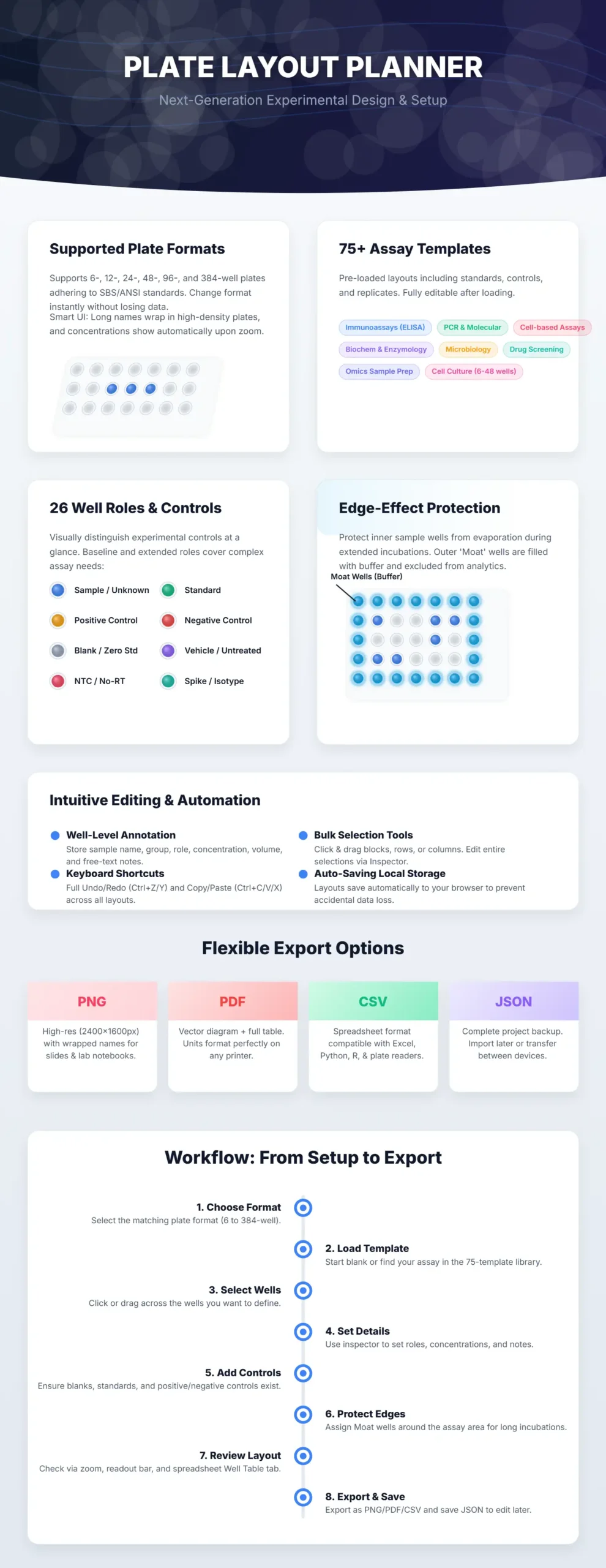
Our Plate Mapper Feature
- Pick any plate format. Switch between 6, 12, 24, 48, 96, and 384 wells. The grid, labels, and zoom adjust automatically.
- Start from a template or a blank plate. Search the template library by assay name, load a layout, and edit any well afterward.
- Label every well by its role. Mark wells as samples, standards, blanks, positive or negative controls, vehicle, untreated, NTC, no-RT, and more. Each role has its own color, so you can read the plate at a glance.
- Protect your samples from the edge effect. Add evaporation-buffer wells around the outside of your assay area. They appear in your layout but are not counted as samples.
- Add the details you will need later. Each well can hold a sample name, group, concentration, volume, and notes. Hover over a well to see everything about it at once.
- Edit quickly. Drag to select rows, columns, or blocks. Double-click to rename a well, copy and paste between wells, and undo or redo mistakes. A table view gives you a spreadsheet-style overview of the whole plate.
- Never lose your work. Your layout is saved automatically in your browser, and your plate data stays on your device.
- Use it on any screen. It works on laptops, tablets, and phones, although a larger screen is easier for 384 well plates.
- Export what you need. Download a high-resolution PNG for slides and notebooks, a PDF with the plate diagram and a table of all wells, a CSV for Excel or your analysis software, or a JSON file to reopen the project later.
How to use the Plate Mapper
- Choose your plate format (6, 12, 24, 48, 96, or 384 wells).
- Open the Assay templates library and pick a template, or start with an empty plate.
- Click a well, or drag to select several, then set the well type, sample name, group, concentration, and volume in the panel on the right.
- Check your layout using the zoom options, the hover details, and the table view.
- Export your plate map as PNG, PDF, CSV, or JSON, or print it to take to the bench.
Shortcuts: Ctrl/Cmd + C, X, and V to copy, cut, and paste; Ctrl/Cmd + Z and Y to undo and redo; Delete to clear the selected wells.
Frequently asked questions
Is the Plate Mapper free?
Yes. It is free to use, with no registration.
Which plate formats are supported?
6, 12, 24, 48, 96, and 384 well plates.
Can I design an ELISA plate layout with standards and blanks?
Yes. The ELISA templates include standard curves, blanks, and controls, and you can edit any well after loading.
Can I plan a qPCR plate?
Yes. You can mark NTC and no-RT controls, standards, calibrators, and reference samples on 96 and 384 well plates, and use the qPCR templates as a starting point.
How do I avoid the edge effect?
Use the buffer (moat) well role on the outer wells and place your samples in the inner wells. Several templates already do this for you.
Can I export my plate map to Excel?
Yes. Download the CSV and open it in Excel, Google Sheets, R, or Python. It includes the well, sample, group, type, concentration, volume, and notes.
Can I save my layout and edit it later?
Your work is saved automatically in your browser. To keep it long term or share it, export a JSON file and import it again whenever you like.
Meet the Authors
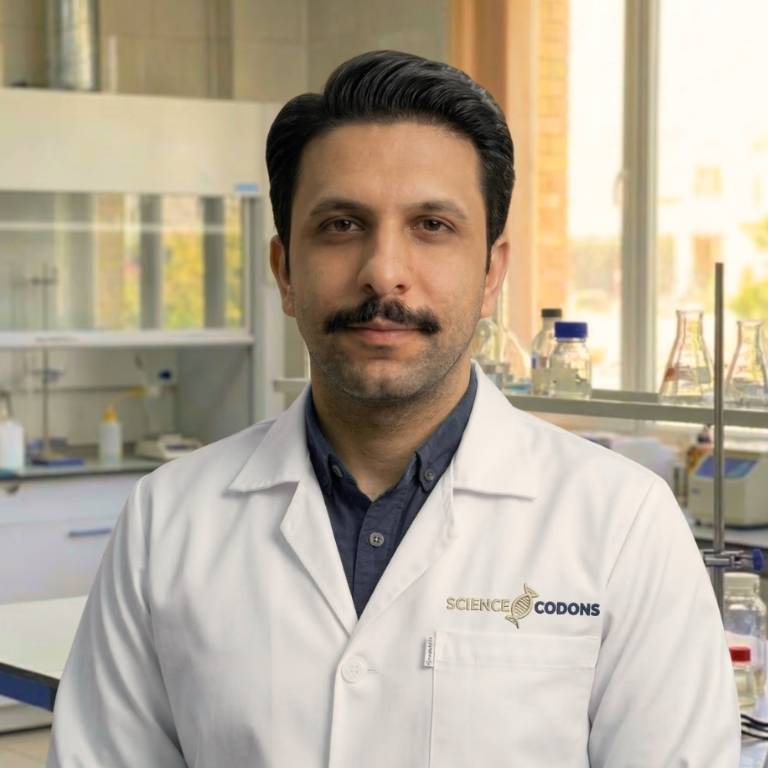
Mahdi Morshedi Yekta
Founder & Bioinformatics Developer
Mahdi is the founder of ScienceCodons and a Medical Biotechnologist with a deep passion for computational biology. Holding an M.Sc. in Medical Biotechnology, he specializes in transforming complex biological algorithms into accessible, high-performance web tools, bridging the gap between laboratory sciences and software engineering.

Fatemeh Faryadras
Medical Biotechnologist & Researcher
Fatemeh is a Medical Biotechnologist and researcher. With extensive expertise in genetic engineering, molecular cloning, and cancer biology, she combines her rigorous laboratory background with intuitive design principles to create reliable, user-centered scientific calculators and tools.

Dr. Mosayeb Rostamian
Assistant Professor, Infectious Diseases Research Center
Certified Scientific Reviewer
Google ScholarExpert Review Process
To ensure the highest quality and scientific accuracy, this tool's underlying algorithms, formulas, and edge-case handling have been thoroughly reviewed and validated by Dr. Mosayeb Rostamian.
The "Reviewed By" badge signifies that an independent expert has evaluated the tool's logic to guarantee accuracy and alignment with the current consensus in the scientific community.