
Image to Chemical Structure Converter
Was this tool helpful?
Thanks for your feedback 😍
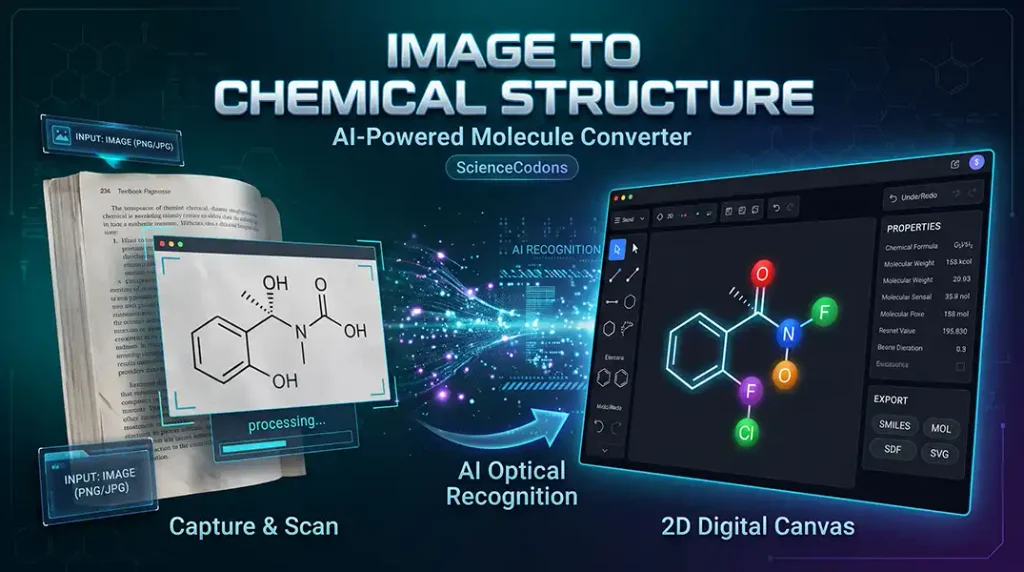
Chemical structures are frequently available only as images: a screenshot, a figure extracted from a PDF, or a photograph of a textbook page. Redrawing such structures manually is time-consuming and prone to error. This image to chemical structure converter automatically interprets a structure diagram and reconstructs it as an editable molecule on a two-dimensional canvas. The recognized structure can then be verified, modified, analyzed, and exported in a format suited to the intended application.
How to use
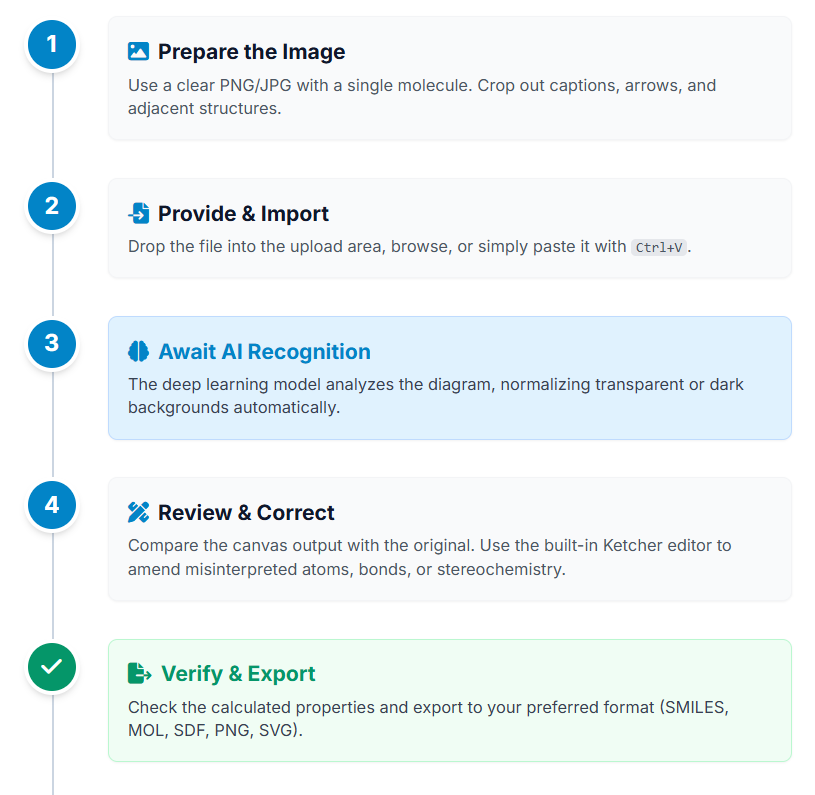
- Prepare the image. Use a clear PNG or JPG file containing a single molecule. Where possible, crop captions, arrows, labels, and adjacent structures.
- Open the Import tab. In the right-hand panel, select Image to Structure.
- Provide the image. Drop the file into the upload area, browse for it, or paste it with Ctrl+V.
- Await recognition. A progress indicator displays the analysis status. Processing time depends on current server load.
- Review the result. The recognized molecule appears on the canvas. Compare it carefully with the original image.
- Correct as necessary. Use the drawing tools to amend any misinterpreted atoms, bonds, charges, or stereochemical features.
- Verify and export. Consult the Properties tab to confirm the formula and molecular weight, then select the required format in the Export tab.
Capabilities
- Image-based structure recognition. PNG and JPG images of chemical diagrams, including screenshots, can be uploaded, browsed for, or pasted directly from the clipboard.
- Multiple import routes. Structures can also be introduced through structure files, chemical notations, or a database search.
- Full 2D structure editing. Molecules can be drawn from scratch or corrected after recognition using a comprehensive set of drawing tools.
- Property calculation. Fundamental molecular descriptors are computed and displayed for the structure on the canvas.
- Flexible export. Results can be saved as structure files, line notations, or publication-ready graphics.
Recommendations for Reliable Recognition
- Use high-resolution, high-contrast images. Dark bonds on a white background yield the best results.
- Submit one molecule per image whenever possible.
- Avoid heavy JPEG compression, motion blur, skewed photographs, and watermarks overlapping the structure.
- Printed or software-generated drawings (for example, ChemDraw-style diagrams) are recognized considerably more reliably than hand-drawn sketches.
- Always verify the output. Stereochemistry, formal charges, and crowded regions of the structure warrant particular attention. No OCSR system is error-free, and comparison with the source image requires only a few moments.
Key Features
AI-Powered Image to Structure Recognition
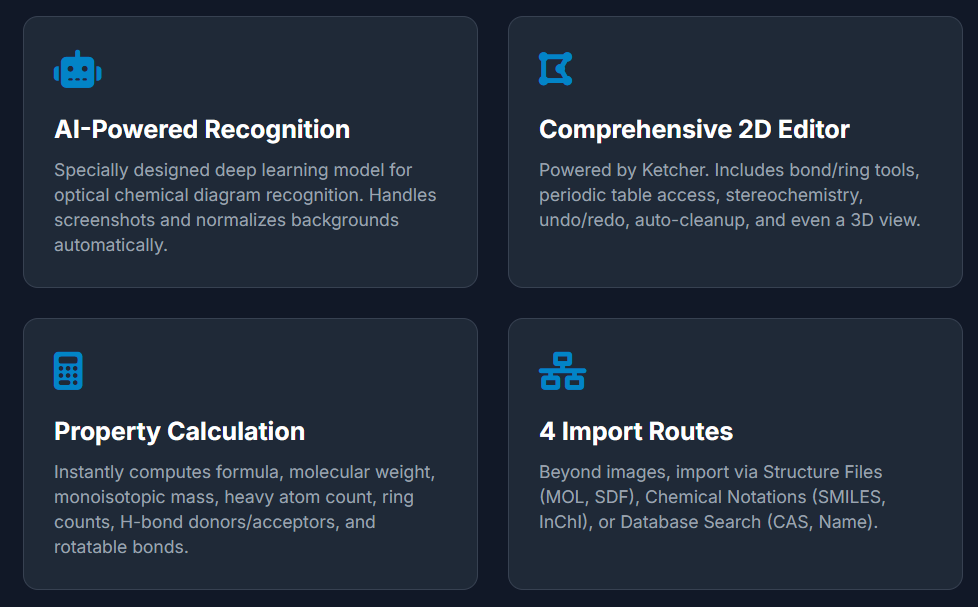
The Image to Structure panel employs a deep learning model designed specifically for the optical recognition of chemical diagrams. An image may be dropped into the upload area, selected through the file browser, or pasted from the clipboard using Ctrl+V. Images with transparent or dark backgrounds are normalized automatically before analysis, which reduces recognition errors commonly associated with screenshots.
Four Routes for Importing a Molecule
All input methods are available from the Import tab:
- Image to Structure: recognition of chemical diagrams from PNG or JPG images and screenshots
- Structure File: upload of files such as MOL, SDF, and SMI
- Chemical Notation: direct entry of notations such as SMILES and InChI
- Search Database: retrieval of a compound by name or CAS registry number
Comprehensive 2D Chemical Structure Editor
The drawing canvas provides the functionality expected of professional chemical drawing software:
- Bond, chain, and ring tools, together with selection, eraser, and pan tools
- Quick-access buttons for common atoms (H, C, N, O, S, P, F, Cl, Br, I) and a full periodic table
- Charge modification, R-groups and S-groups
- Arrows and reaction tools, text annotations and image insertion
- Undo and redo, automatic layout clean-up, structure checking and a built-in 3D view
- Zoom control and fullscreen mode for large or complex structures
The editor is built on Ketcher, a widely used open-source chemical structure editor, and will therefore be familiar to users of comparable software.
Export in Standard Scientific Formats
The Export tab supports the following output types:
- Line notations: SMILES, extended SMILES, InChI, InChIKey and SMARTS
- Structure files: MDL Molfile (V2000 and V3000), SDF (V2000 and V3000), CML and Ketcher JSON (.ket)
- Graphics for publications and presentations: SVG (scalable vector graphics) and high-resolution PNG
Calculated Molecular Properties
The Properties tab reports the following descriptors for the structure currently displayed:
- Chemical formula
- Molecular weight and exact (monoisotopic) mass
- Heavy atom count
- Ring count and aromatic ring count
- Hydrogen bond donors and acceptors
- Rotatable bond count
These values assist in verifying that the intended compound has been drawn and in performing preliminary drug-likeness assessments.
Related Tools for Your Workflow
After preparing a structure, the following ScienceCodons tools may support subsequent steps:
- For conversion between chemical file formats, use the Open Babel Online Converter.
- For compound libraries, see the SDF File Converter and the SDF to SMILES Converter.
- For ligand preparation in docking and modeling, see the SDF to MOL2 Converter, the PDB to SDF Converter and the MOL2 File Converter.
- For three-dimensional inspection of structure files, use the SDF File Viewer, the MOL2 File Viewer or the PDB File Viewer.
- For calculating mass from a molecular formula, use the Molecular Weight Calculator.
- For laboratory solution preparation, see the PPM to Molarity Calculator.
All available resources can be found in the ScienceCodons Tools Hub.
Frequently Asked Questions
Is this image to chemical structure converter free to use?
Yes. Images can be uploaded, structures can be drawn, and results can be exported without creating an account.
Which image formats are supported?
PNG and JPG images are supported, including screenshots of chemical diagrams. Files can be dropped into the tool, selected through the browse function, or pasted with Ctrl+V.
How accurate is the recognition?
Accuracy is high for clean, conventionally drawn structures but depends on image quality and molecular complexity. The result should always be compared with the original image, particularly with regard to stereochemistry.
What should be done if part of the structure is misinterpreted?
Any atom, bond, or charge can be corrected directly in the editor. Exported files always reflect the final, user-verified structure.
Can structure files or chemical notations be imported instead of images?
Yes. In addition to image recognition, the Import tab accepts structure files such as MOL, SDF, and SMI, chemical notations such as SMILES and InChI, and database searches by name or CAS registry number.
Does the editor include a three-dimensional view?
Yes. The editor toolbar includes a 3D view option for inspecting a structure beyond its two-dimensional representation.
Which export formats are available?
SMILES, extended SMILES, InChI, InChIKey, SMARTS, Molfile, SDF, CML, Ketcher JSON, SVG, and PNG.
Can the exported graphics be used in publications?
Yes. SVG and high-resolution PNG exports are suitable for figures, and InChI or other line notations can be included in supporting information where appropriate.
Meet the Authors

Mahdi Morshedi Yekta
Founder & Bioinformatics Developer
Mahdi is the founder of ScienceCodons and a Medical Biotechnologist with a deep passion for computational biology. Holding an M.Sc. in Medical Biotechnology, he specializes in transforming complex biological algorithms into accessible, high-performance web tools, bridging the gap between laboratory sciences and software engineering.

Fatemeh Faryadras
Medical Biotechnologist & Researcher
Fatemeh is a Medical Biotechnologist and researcher. With extensive expertise in genetic engineering, molecular cloning, and cancer biology, she combines her rigorous laboratory background with intuitive design principles to create reliable, user-centered scientific calculators and tools.

Dr. Mosayeb Rostamian
Assistant Professor, Infectious Diseases Research Center
Certified Scientific Reviewer
Google ScholarExpert Review Process
To ensure the highest quality and scientific accuracy, this tool's underlying algorithms, formulas, and edge-case handling have been thoroughly reviewed and validated by Dr. Mosayeb Rostamian.
The "Reviewed By" badge signifies that an independent expert has evaluated the tool's logic to guarantee accuracy and alignment with the current consensus in the scientific community.